

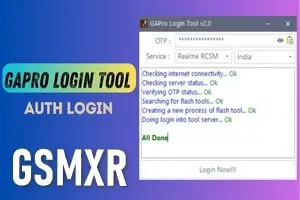
LAZY LOGIN TOOL AUTO API EXISTING USER Realme Credit OTP
Lazy Login Tool for Realme – Smart Auto Login Solution
The Lazy Login Tool for Realme is a powerful auto login utility designed specially for technicians and GSM users who work with Realme devices on a daily basis. This tool eliminates manual login issues and provides 24x7 server access, making it a reliable solution for uninterrupted flashing, unlocking, and servicing tasks.
If you are tired of repeated login failures, OTP delays, or server downtime, the Lazy Login Tool is the perfect choice for smooth and hassle-free Realme operations.
Key Features of Lazy Login Tool for Realme
-
✅ Auto Login System – No manual ID/password entry
-
✅ 24x7 Online Server Access – Work anytime without interruption
-
✅ Fast & Stable Connection – Optimized for Realme services
-
✅ Background Login Support – Saves time during repeated use
-
✅ User-Friendly Interface – Simple and lightweight tool
-
✅ Technician-Oriented Utility – Ideal for GSM professionals
Supported Use Cases
The Lazy Login Tool is mainly used to support Realme-related servicing tasks, including:
-
Realme flashing tool login assistance
-
Authorized tool auto-login support
-
Continuous server authentication
-
Workshop and remote support environments
-
Reducing login errors during heavy workload
⚠️ Note: This tool does not unlock or flash devices directly. It is only an auto-login utility to maintain server connectivity.
Why Use Lazy Login Tool for Realme?
Many Realme tools require frequent authentication. During peak hours, users often face:
-
Login timeout issues
-
Server busy errors
-
OTP or credential failures
The Lazy Login Tool solves these problems by keeping your session active with automatic authentication, allowing you to focus on your work without interruptions.
System Requirements
-
Windows 7 / 8 / 10 / 11 (64-bit recommended)
-
Stable internet connection
-
Realme supported service tools installed
-
Basic PC knowledge
Advantages for GSM Technicians
-
🔹 Saves time on repeated logins
-
🔹 Reduces workflow interruptions
-
🔹 Ideal for shop & remote support use
-
🔹 Works silently in the background
-
🔹 Improves overall productivity
Conclusion
The Lazy Login Tool for Realme – Auto Login Utility is a must-have solution for technicians who need stable, fast, and 24x7 server access. With its automatic login mechanism and technician-friendly design, it significantly improves workflow efficiency and reduces downtime.
If you regularly work with Realme devices and authorized tools, this utility will quickly become an essential part of your setup.
-

GRT OTP Realme (QC-MTK 1 Click All Cpu) FRP REMOVE (NO FLASH )
1 USD Instant Instant -

RealmeFix Tools (1 Click) MTK+Qualcomm All Support (7 Days) Token Expire
100.35 USD Instant -

Realme Multi Tool Realme OTP 1 Click pin FRP + Flashing
101 USD instant -
GAPro OTP Realme MTK 1 click pin frp Unlock
2 USD Miniutes