

Xiaomi Power Tool - (XPT OTP Realme ) MTK qualcomm 1 Click- Pin FRP REMOVE (NO FLASH ) (15 Days) Token Expire
Manage your tools and account from this resource access hub.
The XPT OTP Tool is a high-demand solution for Realme devices (MediaTek and Qualcomm) that allows for a "1-Click" PIN and FRP removal without requiring a full firmware flash. tool password 123
However, as you noted, this process has zero room for error. Because OTPs are server-side "consumables," once the token is used or the process fails due to a user-side mistake, the credit is lost.
Process Checklist (To Avoid "Wrong Process" Errors)
To ensure you don't waste your OTP, follow these exact steps:
-
Driver Check: Open Device Manager on your Windows PC.
-
MediaTek: Ensure you have the MTK USB VCOM drivers.
-
Qualcomm: Ensure the device is detected as Qualcomm HS-USB QDLoader 9008.
-
Tip: Filter the port using LibUSB to ensure the tool catches the device instantly.
-
-
Tool Setup: Open XPT Tool and select the Realme tab. Choose the [OTP] 1-Click FRP/Pin Remove option.
-
OTP Entry: Enter the OTP code only when the tool prompts for it. OTPs are often time-sensitive (valid for 5–15 minutes).
-
Device Connection (The Critical Step):
-
Power off the phone completely.
-
MTK: Hold Volume Up + Down and insert the USB cable.
-
Qualcomm: Use Test Point (requires opening the back) or the specific button combo to enter EDL Mode.
-
Warning: If the device reboots to the charging screen or normal mode, the process will fail, and the OTP may be counted.
-
Strict Refund & Replacement Policy
In the GSM service industry, XPT OTP services follow these rigid rules:
-
No Replacement: If you enter the wrong OTP or the connection drops mid-way, a new OTP will not be provided.
-
No Refund: "Wrong Process" (e.g., trying to unlock an unsupported model or using the wrong cable/port) is the user's responsibility.
-
OTP Count: Every click that triggers a server handshake counts as a used credit.
Quick Troubleshooting
| Error Message | Likely Cause | Solution |
| Handshake Failed | Driver or Cable issue | Re-install MTK/Qualcomm drivers; use a high-quality USB cable. |
| Auth Error | Server Down or Wrong OTP | Check server status on the official XPT Telegram/Support channel before using OTP. |
| Device Not Found | Improper Connection | Ensure the phone is in BROM (MTK) or EDL (Qualcomm) mode before clicking Start. |
| Oppo New QcomMtk Driver 4.0.1.6 | Download Tool |
| O+ Support (Android 14/15/16) Flash Tool PASS- XPT | Download Tool |
| XPT REALME 1 CLICK TOOL PASS- XPT | Download Tool |
-

Realme Otp (UK-Tools)-1 Click- Qualcomm MTK All Unlock FRP Flashing (15 Days) Token Expire
1 USD Instant -
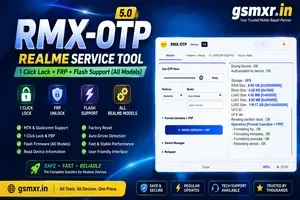
REALME OTP ( RMXOTP )(MTK Qualcomm 1 Click Lock +FRP) All Model Flash Support (15 Days) Token Expire
0.95 USD Instant -

Realme Otp ( AJ CARE ) OTP 1 Click pin FRP + Flashing (15 Days) Token Expire
1 USD iNSTANT -

Realme OTP ( XPRO )1-Click Tool MTK Qualcomm (15 Days) Token Expire
0.9 USD instant