

Realme Otp (UK-Tools)-1 Click- Qualcomm MTK All Unlock FRP Flashing (15 Days) Token Expire
Manage your tools and account from this resource access hub.
The UK Tools (often associated with GA Pro or GRT OTP systems) is currently a leading solution for Realme Android 15 and 16 devices. It simplifies the process by using a server-side OTP to authorize the operation, eliminating the need for complex flash files.
pass 123
O+ tool https://drive.proton.me/urls/4N865KBTHW#OyeshyYs4KPn
Gdrive https://drive.google.com/file/d/1YTmNyiTolSTsgnZo3TZe-GABOSrBU2H4/view?usp=sharing
Key Features
-
One-Click Solution: Perform FRP bypass, Factory Reset, and Flashing in a single step.
-
Dual Architecture: Supports both Qualcomm and MediaTek (MTK) chipsets.
-
Security Support: Works on the latest 2026 security patches (Android 15/16).
-
No Flash File Needed: The tool uses an OTP (One-Time Password) system to authenticate the connection directly with the server.
How to Use the OTP Method
-
Preparation: Install the latest Qualcomm & MTK Universal Drivers. Ensure your PC recognizes the device in "MediaTek Preloader" or "Qualcomm HS-USB QDLoader 9008" mode.
-
Get the OTP: You will need to purchase a valid OTP from a service provider or credit reseller.
-
Setup the Tool:
-
Open the tool and navigate to the Realme/Oppo section.
-
Paste your purchased OTP into the designated field.
-
-
The Process:
-
Click on "Factory Reset + FRP" or the specific service button.
-
Power off the phone.
-
Press and hold Volume Up + Volume Down, then connect the USB cable.
-
-
Completion: The tool will automatically detect the port, validate the OTP, and finish the operation in seconds.
Important Notes
-
Credits: This is generally a paid service. Ensure you are using a trusted source for credits to avoid "Invalid OTP" errors.
-
Server Status: Sometimes the Realme Auth server may be "OFF." Always check the server status in your tool's dashboard before attempting the operation.
-
Ethics: Ensure you are only servicing devices for verified owners.
If you're looking to update your blog or website with this information, focusing on the Android 16 compatibility and no-file-needed aspect is usually what technicians are searching for right now.
-
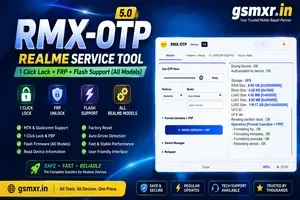
REALME OTP ( RMXOTP )(MTK Qualcomm 1 Click Lock +FRP) All Model Flash Support (15 Days) Token Expire
0.95 USD Instant -

Xiaomi Power Tool - (XPT OTP Realme ) MTK qualcomm 1 Click- Pin FRP REMOVE (NO FLASH ) (15 Days) Token Expire
1 USD Instant -

Realme Otp ( AJ CARE ) OTP 1 Click pin FRP + Flashing (15 Days) Token Expire
1 USD iNSTANT -

Realme OTP ( XPRO )1-Click Tool MTK Qualcomm (15 Days) Token Expire
0.9 USD instant