Qualcomm Mtk Driver Setup 4.0.1.6
Qualcomm & MTK Driver Setup 4.0.1.6 — gsmxr.in
The Qualcomm MTK Driver Setup 4.0.1.6 is a comprehensive, all-in-one driver package essential for any modern mobile repair workstation. This setup ensures that your PC can correctly communicate with devices for flashing, unlocking, and repairing IMEI or baseband issues.
What’s Included in Setup 4.0.1.6?
This version is optimized for the latest Windows security protocols (including Windows 11) and supports the following protocols:
-
Qualcomm: HS-USB QDLoader 9008 (EDL Mode), Diagnostic (DIAG) Port, and Qualcomm HS-USB Modem.
-
MediaTek (MTK): VCOM, Preloader, Meta Mode, and Brom (Boot ROM) mode drivers.
-
ADB & Fastboot: Universal Android Debug Bridge and Fastboot interface for bootloader unlocking and system commands.
-
CDC & VCOM: Legacy support for older MTK chipsets and specific diagnostic tools.
Key Features for 2026
-
One-Click Installation: No need to manually update ports in Device Manager. The installer automates the registration of all major chipset IDs.
-
Driver Signature Bypass: Many versions of this installer include a script to automatically disable Driver Signature Enforcement, which is often the main reason MTK/Qualcomm ports fail to show up on Windows 10/11.
-
HyperOS & Android 16 Support: Updated to ensure stable handshake with the newest Xiaomi, Oppo, and Realme devices.
-
LibUSB Integration: Often bundled to help filter MTK ports for tools like UnlockTool or AMT.
Installation Instructions
-
Preparation: Uninstall any previous or conflicting Qualcomm/MTK drivers to avoid "Code 10" or "Code 43" errors.
-
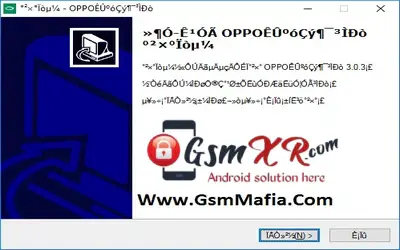
Run as Admin: Right-click the
Qualcomm_MTK_Driver_Setup_4.0.1.6.exeand select Run as Administrator. -
Disable Antivirus: Some security software may flag specialized repair drivers as "false positives." Disable your antivirus temporarily during installation.
-
Restart PC: A full system restart is mandatory after installation to ensure the Windows Registry updates the new port configurations.
Technical Tips for gsmxr.in Users
-
Device Detection: If your phone is still not detected, check your USB cable. Always use a high-quality data cable (original cables are best) and connect directly to the motherboard USB ports (back of the PC) rather than a front panel hub.
-
BROM Mode: For the latest MTK devices, you may need to hold Volume Up + Down while connecting the cable to trigger the "MediaTek USB Port" (BROM) required for 1-click FRP or flashing.
-
Test Point: For Qualcomm devices that won't enter EDL mode via buttons, use the Test Point method to force the 9008 port.
Download & Support
The 4.0.1.6 setup is typically distributed as a free utility for the GSM community. You can find the latest verified mirrors and technical support threads at gsmxr.in.
[!CAUTION] Important: Always verify the file hash if downloading from unofficial mirrors to ensure the installer hasn't been tampered with. For the safest experience, use the links provided on the gsmxr.in dashboard.
For the latest tools, firmware, and driver updates, keep checking gsmxr.in.