
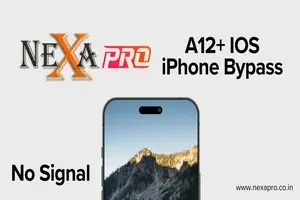
Nexa Pro Hello AIO A12+ (No Login) - IOS 15-26.1 - Xr - 17 Promax - All iPad M8 - M5
Manage your tools and account from this resource access hub.
NexaPro A12+ Hello Bypass Windows Tool (iOS 14-26.1) - gsmxr.in
The NexaPro A12+ Activator is a specialized Windows-based solution designed for the "Hello" screen bypass on newer Apple devices (A12 Bionic chips and above).
While many legacy tools only support up to the iPhone X (A11), this tool targets the iPhone XS through the iPhone 17 Pro Max series.
Key Features & Compatibility
-
iOS Support: Compatible with iOS 14.0 up to iOS 26.1.
-
Device Range: * A12+ Devices: iPhone XS, XS Max, XR.
-
Modern Flagships: iPhone 11, 12, 13, 14, 15, 16, and 17 series (including Pro and Pro Max).
-
Legacy Support: Also covers iPhone 6s through iPhone X.
-
-
Signal Status: NO SIGNAL (WiFi Only). This bypass is intended for media players, tablets, or devices used without cellular calls/data.
-
Functions: Bypasses the iCloud Activation Lock screen, allowing access to the home screen and apps.
Refund Policy (100% Refundable)
The "100% Refundable" guarantee is a high-trust feature typically offered by authorized resellers or the developers to protect you against:
-
Hardware Incompatibility: If the tool fails to communicate with your specific device hardware.
-
Server Down Time: If the activation server is unreachable during your session.
-
Failed Bypass: If the tool reports "Success" but the device remains locked.
[!IMPORTANT] Check the Serial Number (SN) first. Most NexaPro resellers require you to register your SN on their server before the tool will work. Refunds are usually processed if the SN remains "Unactivated" in their database after a failed attempt.
How to Use the Tool
-
Download & Install: Ensure you have the latest NexaPro A12+ setup and all necessary Apple drivers installed on your Windows PC.
-
Connect Device: Connect the iPhone in Normal Mode (Hello Screen) to the PC.
-
Check Compatibility: Click the "Check" button in the tool. It will verify if your iOS version and model are supported.
-
Register SN: Copy your Serial Number and provide it to your service provider (like Gsmxr or Unlockhub) to authorize the bypass.
-
Start Bypass: Once authorized, click "Activate" or "Bypass". The device will reboot, and you will be able to skip the Activation Lock screen.
Technical Tips
-
Fresh Restore: For the highest success rate, it is recommended to restore the device to the latest iOS version using 3uTools or iTunes before starting.
-
Stable Internet: The tool requires a constant connection to the NexaPro servers to verify the activation ticket.
Are you planning to run this on an iPhone 15 or 16? Make sure your USB-C drivers are updated to ensure the tool detects the device in DFU or Recovery if needed.
-
NexaPro Hello ByPass A7 - A11 (Jailbreak Method) 6s to X Only No Signal
4.58 USD Miniutes -
NexaPro Bypass Hello A5 (4, 4S, Touch 5, Mini 1, iPad 2, 3) Windows Tool
4.68 USD Miniutes -
NeXaPro Ramdisk Tool Bypass Passcode - ( Hello A7-A11 )
3.88 USD Miniutes -
NexaPro All Service Refund Service 24-48 Hours
0.01 USD Miniutes