
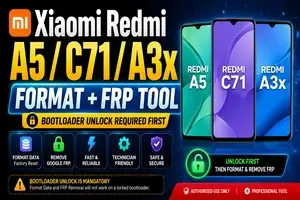
Mi Xiaomi Redmi A5 / C71 / A3x Format + FRP Tool (Bootloader Unlock Required First)
Manage your tools and account from this resource access hub.
Mi Xiaomi Redmi A5 / C71 / A3x Format + FRP Tool (Bootloader Unlock Required First)
If you are working on Xiaomi Redmi A5, Redmi A3x, or Redmi C71, it is important to understand that Bootloader Unlock is required before performing Format Data or FRP removal. These latest Xiaomi devices include enhanced security that prevents direct formatting or FRP bypass while the bootloader remains locked. Unlocking the bootloader first allows the tool to communicate properly with the device and complete the requested operation safely.
Our Mi Xiaomi Redmi (A5 / C71 / A3x) Format + FRP Tool is designed to simplify the process by supporting Format Data, Factory Reset, and Google FRP Lock Removal after the bootloader has been successfully unlocked. This helps technicians restore access to devices that are locked due to forgotten screen locks or FRP verification after a factory reset.
Key Features
- Supports Xiaomi Redmi A5, Redmi A3x, and Redmi C71
- Format Data / Factory Reset
- Remove Google FRP Lock
- Fast and reliable operation
- Technician-friendly interface
- Safe process with proper authorization
Important Note
Bootloader Unlock is mandatory before using the Format + FRP function. The tool will not perform FRP removal or formatting on a locked bootloader. Make sure the device has been unlocked successfully before starting the process.
This solution is intended for authorized servicing, device maintenance, and legitimate owner support. Always ensure you have permission to service the device and comply with Xiaomi's policies and local regulations.
![UNLOCKTOOL (6h)-[instant-Auto API 24x7]](/media/rent.webp)