
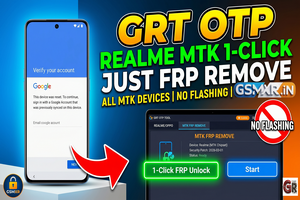
GRT OTP Realme QC-MTK 1 Click All Cpu FRP REMOVE (NO FLASH )
Manage your tools and account from this resource access hub.
GRT OTP Realme QC-MTK 1-Click FRP Remove (No Flash) - gsmxr.in
Using the GRT OTP method for Realme (Qualcomm and MediaTek) is a highly effective way to bypass FRP on newer security patches (Android 14, 15, and 16) without needing a full flash.
Since this process often involves paid credits or OTPs, follow these steps carefully to avoid "wrong process" errors, as most providers do not offer refunds.
Pre-Requisites
-
GRT Tool / Dongle: Ensure you have the latest version installed.
-
OTP/Credits: You must have an active balance or an OTP purchased from a provider (like Unlockhub or GsmOnline).
-
Drivers: Latest MTK/Qualcomm USB Drivers and LibUSB (if required) must be installed to avoid connection timeouts.
The 1-Click Procedure
-
Launch GRT Tool: Open the software and navigate to the Realme/Oppo section.
-
Select Model/CPU: * Choose your specific model or the "Universal" QC-MTK option if applicable.
-
Select FRP Remove (1-Click) or Factory Reset + FRP.
-
-
OTP Integration: * Input the OTP you purchased into the tool’s prompt.
-
Note: OTPs are usually valid for a single session or a limited time.
-
-
Device Connection:
-
Power off the device completely.
-
MediaTek (MTK): Hold Volume Up + Volume Down and connect the USB cable.
-
Qualcomm (QC): Boot into EDL Mode (usually Volume Up + Volume Down or Test Point depending on the model) and connect.
-
-
Execution: Once the tool detects the device, it will communicate with the server via the OTP. The process should finish in 30–60 seconds.
-
Reboot: The device will auto-restart once the "Success" message appears.
Important Notes to Avoid Loss
-
No Refund Policy: Double-check that your model is supported before using the OTP. If the hardware is damaged or the drivers fail mid-process, the credit/OTP is usually consumed regardless.
-
Check Port: Ensure the device is showing as MediaTek USB Port or Qualcomm HS-USB QDLoader 9008 in Device Manager before clicking start.
-
Battery: Ensure the phone has at least 30% charge to prevent it from dying during the handshake.
-

RealmeFix Tools (1 Click) MTK+Qualcomm All Support (7 Days) Token Expire
100.35 USD Instant -
Realme Oppo Oneplus DEMO Remove Tool | 1 PC LifeTime Activation
10 USD iNSTANT -
![Adam Tool Credit For Xiaomi/OnePlus/Realme [Existing User]✅](/media/activation-tool-gsmxr-in.png)
Adam Tool Credit For Xiaomi/OnePlus/Realme [Existing User]✅
0.64 USD Miniutes -
GLOBAL AUTH TOOL MTK/QUALCOMM Flash/EFS/Mi Cloud Credit
0 USD Miniutes