
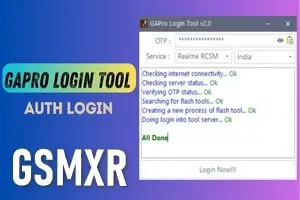
GAPro Login Tool - ONEPLUS OTP Instant Api ( India Device Only ) No Support Other Country
Since this tool is highly technical and carries a "No Refund / 100% User Risk" policy, it’s crucial to ensure your setup is perfect before you trigger that OTP.
*⚠️ Important Refund Policy — Please Read Carefully🧐*
*🔹 Once OTP is used → NO REFUND*
_After the OTP is Login & used, no refund will be provided — regardless of the result.-
*🔹 Once authentication starts → NO REFUND for any kind of issue:*
❌ Flash Fail at 0% /10% / 20% / 60% *Any*
❌ Phone disconnected
❌ Driver issue
❌ Tool crash / PC restart
❌ Network error
*🚨1 Otp 1Auth Any Isu OTP Count No repless No refund*
*➡️ No refund in any of these cases.*
*🪫iF AGREE SEND OTHER WISE DONT SEND ORDER*
*Thanks Team gsmr.in | gsmxr.com | softichnic.com🌹*
----------------------------------
Quick Technical Checklist
To minimize the risk of a "Flash Fail," verify these requirements before starting:
-
Region Lock: As you noted, this specific API is for India-region devices only. Using it on a global or EU model will likely result in an authentication error and a lost credit/OTP.
-
Internet Stability: Use a wired (Ethernet) connection. Wi-Fi lag spikes can interrupt the handshake between the GAPro tool and the Oppo/OnePlus servers, causing the "Auth" to fail.
-
Driver Setup: Ensure you have the Qualcomm QDLoader 9008 drivers installed. Check your Device Manager to ensure the phone is showing up correctly in EDL mode (Power + Vol Up + Vol Down).
-
Tool Sequence: 1. Open the MSM Download Tool (or Oplus Flash Tool) first. 2. Run the GAPro Login Tool. 3. Enter the OTP and click Login. 4. Once the MSM tool bypasses the login screen, immediately click Start and connect the device.
Critical Warnings
No Refund Policy: These tools operate on a per-use credit system. If the flash fails because of a bad USB cable, a loose port, or the wrong firmware version, the credit is usually considered "consumed" by the server provider.
NV Data: When using the MSM tool, ensure you check (or uncheck) the "Use Default NV" box according to your specific repair needs. Incorrect NV settings can lead to "Null IMEI" or network issues after the flash.
-
RealmeFix Tools (1 Click) MTK+Qualcomm All Support (7 Days) Token Expire
100.35 USD Instant -
Realme Oppo Oneplus DEMO Remove Tool | 1 PC LifeTime Activation
10 USD iNSTANT -
![Adam Tool Credit For Xiaomi/OnePlus/Realme [Existing User]✅](/media/activation-tool-gsmxr-in.png)
Adam Tool Credit For Xiaomi/OnePlus/Realme [Existing User]✅
0.64 USD Miniutes -
GLOBAL AUTH TOOL MTK/QUALCOMM Flash/EFS/Mi Cloud Credit
0 USD Miniutes