
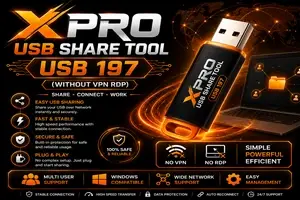
XPRO USB Share Tool – USB 197 (Without VPN RDP) | 1 Year Activation
Manage your tools and account from this resource access hub.
XPRO USB Share Tool – USB 197 (Without VPN RDP) | 1 Year Activation
XPRO USB Share Tool – Simple Remote USB Access Without VPN or RDP
XPRO USB Share Tool – USB 197 is designed for users and technicians who need a simple way to access and share USB devices remotely over a network. With 1 Year Activation, the tool provides a convenient solution for remote USB connectivity without requiring complicated VPN or Remote Desktop setups.
Instead of giving full remote access to a computer, USB 197 focuses specifically on sharing supported USB devices between connected systems. This makes it useful for mobile technicians, remote service providers, software professionals, and users who regularly need USB access from another location.
What is XPRO USB Share Tool – USB 197?
XPRO USB Share Tool allows a USB device connected to one Windows computer to be made available to another compatible computer through a network connection.
For example, a technician may need access to a USB-connected mobile device while working remotely. Rather than using RDP to control the entire customer computer, USB 197 can provide a more direct USB-sharing workflow.
The main goal is simple:
Connect USB → Share Device → Access Remotely
The tool is designed to reduce unnecessary setup and make the connection process easier for both technicians and customers.
No VPN Required
One of the main advantages of XPRO USB Share Tool – USB 197 is that the workflow does not depend on a traditional VPN connection.
VPN configuration can sometimes involve:
-
Network configuration
-
Account setup
-
Firewall changes
-
IP routing
-
Additional applications
-
Customer-side technical knowledge
USB 197 aims to simplify this process so users can focus on the USB connection instead of configuring an entire private network.
No RDP Required
Remote Desktop Protocol is useful when full PC access is required, but USB sharing does not always need complete desktop control.
With XPRO USB Share Tool, the objective is to provide USB access without depending on a full RDP session.
This can make the workflow cleaner for customers who only need to provide access to a USB-connected device.
Benefits of a USB-focused connection
-
No need to control the complete desktop
-
Easier customer instructions
-
Reduced remote-session complexity
-
Faster technician workflow
-
Convenient for repeated USB service jobs
Fast and Easy USB Sharing
USB 197 is designed around a straightforward sharing process.
A typical workflow can be:
-
Connect the required USB device to the customer PC.
-
Open XPRO USB Share Tool.
-
Start or enable USB sharing.
-
Provide the required connection information to the technician.
-
Technician connects to the shared USB device.
-
Complete the required supported operation.
-
Disconnect the session when finished.
This makes it suitable for technicians who handle multiple customers and want to avoid complicated remote-access configurations.
Useful for Mobile Repair and Remote Service Technicians
XPRO USB Share Tool can be especially useful in the GSM and mobile servicing industry.
Technicians often need a USB connection for operations involving compatible service software, diagnostics, firmware tools, device communication, or other authorised maintenance tasks.
Instead of asking customers to visit a physical shop, certain supported operations may be performed remotely when the required hardware and software conditions are available.
Suitable for
-
GSM technicians
-
Mobile repair professionals
-
Remote support providers
-
USB hardware users
-
Software service centres
-
Technical support teams
-
Device testing environments
-
Remote development and diagnostics
Plug-and-Play Style Workflow
The XPRO USB Share Tool interface is intended to keep the process easy to understand.
Users do not need to learn complex networking terminology for normal usage. Once the required setup is completed, USB devices can be shared using a straightforward workflow.
This can be particularly helpful when the customer is not technically experienced.
Stable Remote USB Connection
For remote USB work, connection stability is important. Interruptions during communication can cause software to lose access to the connected USB device.
USB 197 is intended to provide a stable connection experience when both computers have a reliable internet connection.
For best results:
-
Use a stable broadband connection
-
Avoid frequently switching networks
-
Connect the USB device directly to the PC when possible
-
Use a good-quality USB cable
-
Disable unnecessary USB power-saving features if they cause disconnections
-
Keep both systems online during the session
Actual performance can vary depending on internet quality, USB hardware, drivers, operating system configuration, and the software being used.
Windows Compatibility
XPRO USB Share Tool is designed for Windows-based workflows, making it convenient for technicians because most mobile servicing and USB utility software already runs on Windows.
Before starting a remote session, users should ensure that the correct USB drivers for the connected device are installed.
Examples may include:
-
ADB drivers
-
Fastboot drivers
-
MediaTek USB drivers
-
Qualcomm drivers
-
Manufacturer-specific USB drivers
-
Other hardware-specific drivers
USB 197 shares the USB connection, but the receiving computer may still need compatible drivers and software for the connected hardware.
Easy Management
A good remote USB workflow should be simple enough to manage even when dealing with multiple customers.
XPRO USB Share Tool can help reduce the number of separate applications required in the connection process.
Instead of combining VPN software, remote desktop software, and additional network utilities, users can work through a USB-focused sharing solution.
This can help technicians keep their workflow organised and reduce customer confusion.
1 Year Activation
This package includes 1 Year Activation for XPRO USB Share Tool – USB 197.
During the activation period, the customer can use the software according to the applicable activation terms and supported features.
Package Highlights
-
XPRO USB Share Tool – USB 197
-
1 Year Activation
-
No traditional VPN setup required
-
No RDP required for the USB-sharing workflow
-
Remote USB access
-
Windows-based operation
-
Easy setup
-
Technician-friendly interface
-
Suitable for remote USB service workflows
Why Choose XPRO USB Share Tool?
XPRO USB Share Tool is made for users who want a dedicated USB-sharing solution instead of relying on complicated remote desktop or networking configurations.
Its biggest advantage is simplicity.
You connect the USB device, establish the sharing connection, and continue with your supported software or service workflow.
Key Features
Remote USB Sharing
Access compatible USB devices remotely through a network connection.
Without VPN
Avoid traditional VPN configuration for the USB-sharing workflow.
Without RDP
USB access can be handled without providing full Remote Desktop access.
Fast Setup
Designed to minimise complicated customer-side configuration.
Windows Support
Works with common Windows-based technician environments.
Technician Friendly
Useful for mobile servicing, diagnostics, development, testing, and remote support.
1 Year Activation
A full one-year activation period is included with this package.
Important Requirements
For the best experience, make sure you have:
-
A Windows PC
-
Stable internet connection
-
Compatible USB hardware
-
Proper USB cable
-
Required device drivers
-
Supported service software
-
Valid XPRO USB Share Tool activation
Both computers should remain connected to the internet while the remote USB session is active.
Frequently Asked Questions
Does USB 197 require a VPN?
The USB-sharing workflow is designed to work without requiring users to configure a traditional VPN.
Do I need RDP?
RDP is not required just to use the USB-sharing workflow.
Can it be used for remote mobile servicing?
It may be used with compatible hardware and authorised service software where remote USB communication is supported.
Is the activation lifetime?
No. This package includes 1 Year Activation.
Does the customer need drivers?
Depending on the connected device and software, suitable USB drivers may be required.
Does internet speed matter?
Yes. Remote USB performance depends partly on latency, connection stability, and available internet bandwidth.
Conclusion
XPRO USB Share Tool – USB 197 (Without VPN RDP) | 1 Year Activation is a practical solution for technicians and users who need remote USB access without relying on complicated VPN or Remote Desktop setups.
Its simple workflow, Windows compatibility, USB-focused operation, and one-year activation make it suitable for GSM technicians, remote support professionals, device testing, authorised servicing, and other USB-based workflows.
If your work regularly requires a USB device to be accessed from another computer over the internet, XPRO USB Share Tool provides a convenient way to simplify the entire process.
-
XPRO USB Share Tool – USB 197 (Without VPN RDP) | LifeTime Activation
4 USD Instant Delivery -
XPRO USB 197 Share Tool – Without VPN RDP | 2 Days Trial Version
0.1 USD Instant Delivery -
![UNLOCKTOOL (6h)-[instant-Auto API 24x7]](/media/rent.webp)
UNLOCKTOOL (6h)-[instant-Auto API 24x7]
0.56 USD Instant -

Realme Otp (UK-Tools)-1 Click- Qualcomm MTK All Unlock FRP Flashing (15 Days) Token Expire
1 USD Instant